Cutter LED | Issue/Possible Cause | Recommended Solution |
|---|---|---|
Off
| The linerless cutter is not powered.
| Do the following:
|
Solid Green
| All conditions are good.
| The cutter is ready.
|
Blinking Amber
| Cutter jam
| This could be caused by a recent cutter jam. If the cutter jam was addressed and the cutter is ready, close the cutter and feed a label to clear this condition. Verify the LED is now Green.
Other possible causes:
|
Solid Red
| The cutter is open.
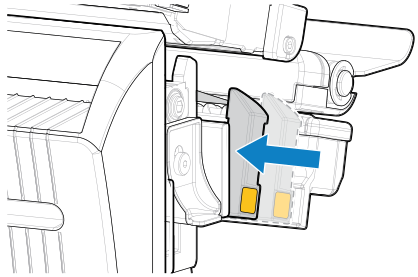
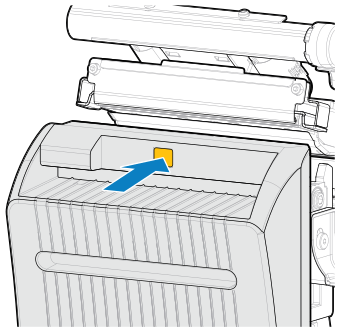
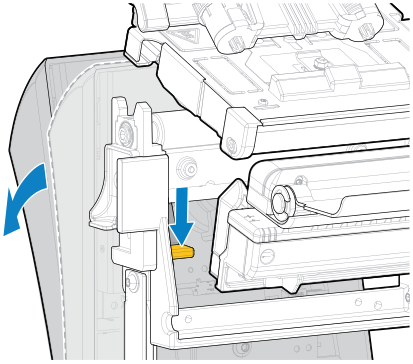
| This is a normal condition when the cutter is pivoted open. To resolve this condition, do the following:
|
The cutter module is separated from the housing, usually for maintenance purposes.
| To avoid personal injury, turn Off
(O)
the printer before continuing.When it is safe to do so and all cutter maintenance is resolved, reinstall the cutter housing, and then turn On
(|)
the printer. | |
Blinking Red
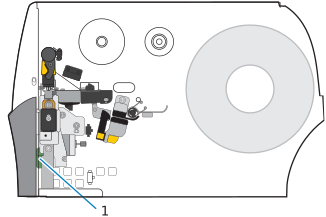
| The cutter upper or lower label-taken sensor was not detected.
| Contact a service technician.
|
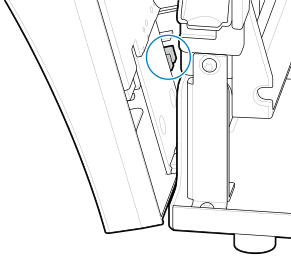
The cutter-open sensor was not detected.
|
Issue | Possible Cause | Recommended Solution | ||||||||||||||||
|---|---|---|---|---|---|---|---|---|---|---|---|---|---|---|---|---|---|---|
Issues with printing labels.
| A command in the label format is changing the printer settings.
| Check the label format for any commands that may be changing printer settings.
For linerless cutter operation, the printer must be set to
Linerless Cut
mode and
Continuous
media. | ||||||||||||||||
Need the printed label length to match the configured label length.
| The linerless cutter option supports a no-print zone (SGD command:
media.linerless_offset
), which increases the label length if the label top (ZPL command:
^LT
) value is positive. | Set the label top (
^LT
) value to zero if you do not want the label length to increase.Example A (increased printed label length): Setting the label top to 61 for a 203 dpi printer
Example B (same printed label length): Setting the label top to 0 for a 203 dpi printer
| ||||||||||||||||
The first label printed is longer than subsequent labels.
| The settings for
and
affect the length of the first label.
| Change the setting to
No Motion
to keep the first label length the same as subsequent labels. | ||||||||||||||||
Frequent paper errors during printing or feeding.
| Using zero or other small values for the linerless offset command (SGD command:
media.linerless_offset
) increases the likelihood of paper jams. | When possible, use the default value for
media.linerless_offset
, based on your printer dpi.
| ||||||||||||||||
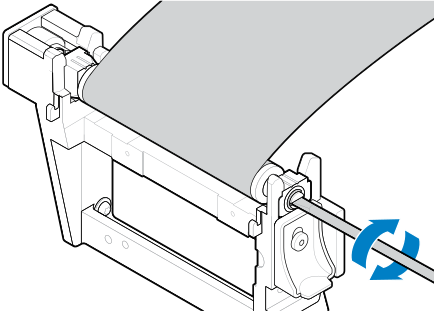
PAPER ERROR | Media is wrapped around the platen roller. | To avoid damaging the platen roller, do not cut against or scrape the surface of the roller.
| ||||||||||||||||
Media has jammed fanfold or accordion-style (crumpled) between the platen roller and the cutter. | To avoid damaging the platen roller, do not cut against or scrape the surface of the roller.
| |||||||||||||||||
The media has drifted to the right, so the label-taken sensor cannot detect it. |
| |||||||||||||||||
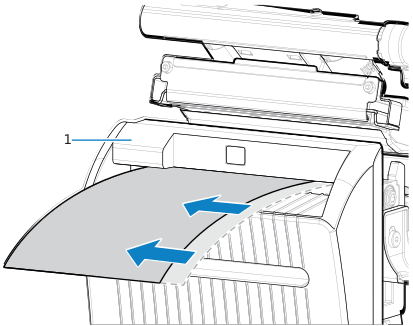
The media is not loaded through the cutter. | Load media through the cutter. | |||||||||||||||||
CUTTER ERROR | The cutter assembly is open. |
| ||||||||||||||||
Debris and media scraps may have fallen behind the cutter and blocked the cutter-closed sensor. |
|