The Transfer feature transfers an active call to a third party. While Call Forwarding must be pre-configured, use Call Transfer to make call exchanges in real-time with an active call. To set up the Transfer button, see Configuring the Transfer Button.
IP Office supports Call Transfer Blind, where the transferring party completes the transfer (i.e. remains on the call) until the transferred-to party answers.
There are two types of transfer:
Attended
Call Transfer Attended
- The transferring party does not complete the transfer (for example, remains on the call) until the transferred-to party answers.
Semi-attended
Call Transfer Blind
- The transferring party completes the transfer (for example, drops the call) while the transferred-to party is still ringing.
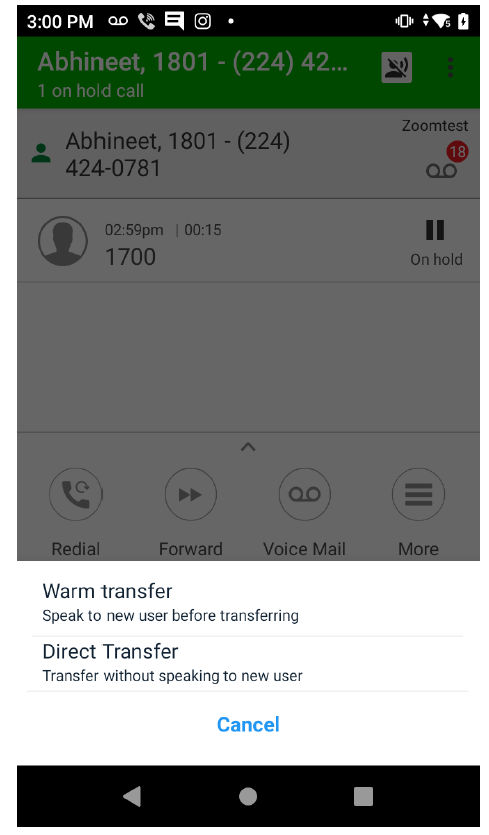
There are two types of call transfer:
Warm Transfer
The call-transfer initiator informs to the new call receiver before transferring the call. The call originator’s number is updated only after the transfer is completed.
Direct Transfer
The call-transfer initiator transfers to the new call receiver without any information.