Portal Users

Portal Users

The PVM provides multiple levels of access for portal users. These levels are called User Roles and consist of the following:
User Role
Customer VS Zebra
Description
Super-Admin
Customer-level
Highest level of Customer administrator access. This user  can view licenses and modify tokens, bootstraps, devices, etc. for this customer and can add other customer-level portal users for the customer.
When adding a customer, add a super-administrator for the customer, so they can view and modify information, as well as add other portal users.
Admin
Customer-level
Customer-level administrator access. These use can view reports and view/modify tokens and bootstraps for this customer. This role cannot view licenses or other portal users.
User
Customer-level
Customer-level read-only access. These users can view reports, tokens and bootstraps for this customer. This role cannot view licenses or other portal users.
To use the portal users screen, perform the following steps:
  1. From the
    Navigation
    menu, select
    System
    Portal Users
    .
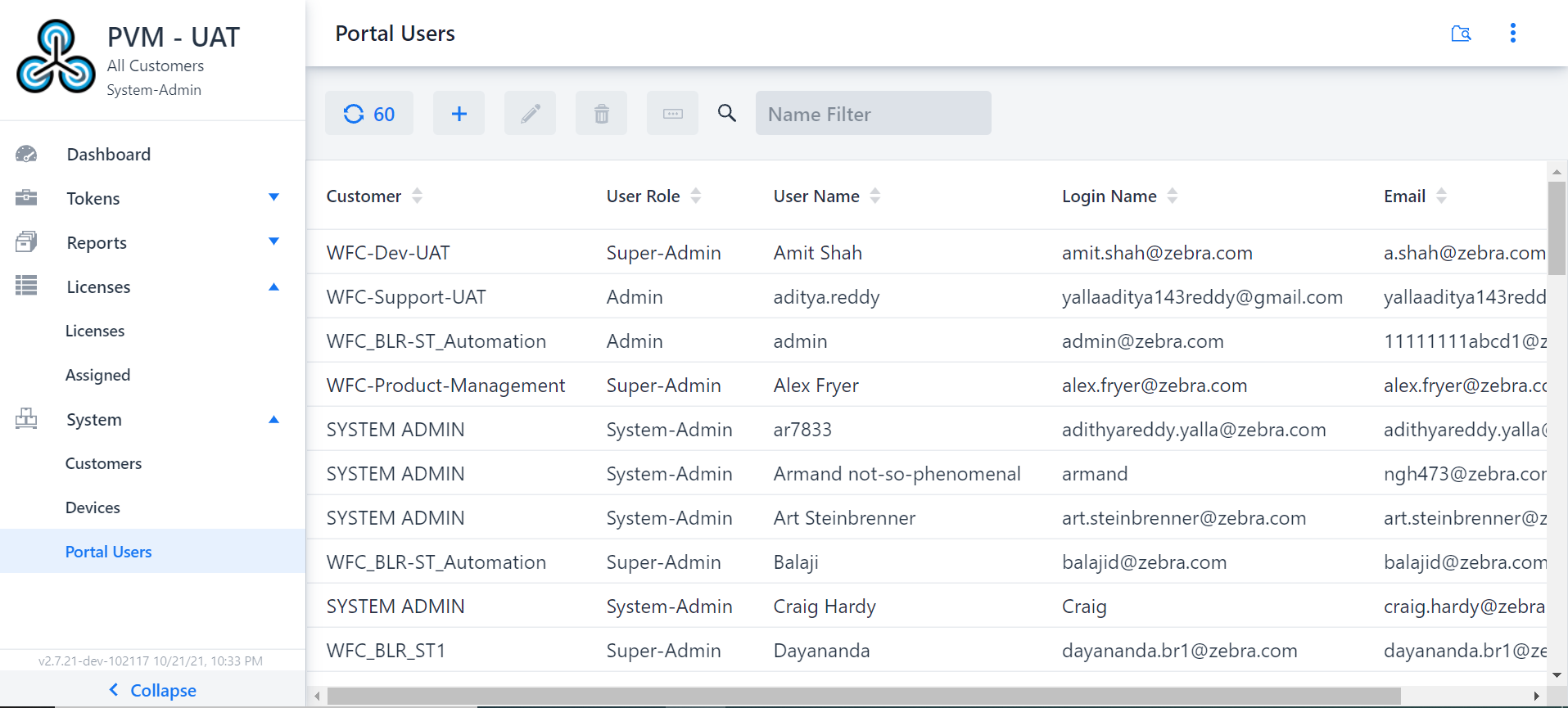
    In the right panel, the
    Portal Users
    screen appears.
    Portal Users
    You can view, sort, and search for information in the
    Portal Users
    screen.
  2. To add a portal user, select the
    Add
    icon.
    The
    Add
    portal user dialog box appears.
  3. Enter the required data in  the fields of the
    Add
    portal user dialog box.
  4. Click
    Add
    to add the portal user to the portal or click
    Cancel
    to cancel the addition of portal user.
    If the list does not update immediately with anything you just changed, use the
    Refresh
    icon to refresh the list.  The
    Refresh
    icon displays numbers of
    Portal Users
    in the
    Refresh
    icon.