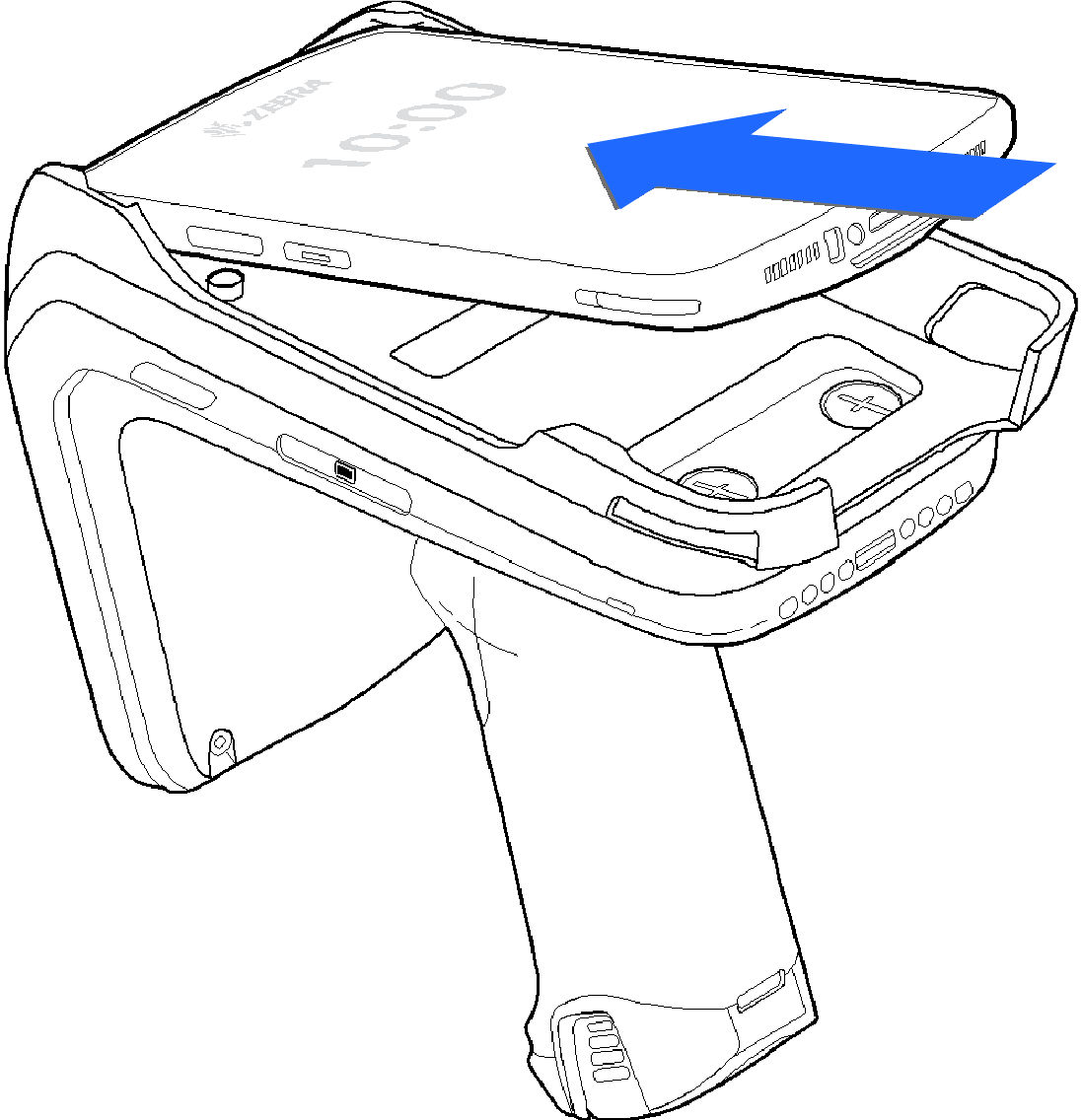
To secure a mobile computer to the RFD40 sled, place the top of the device fully forward into the RFD40 sled adaptor and push down on the bottom of the mobile computer.
Refer to the installation visual aid on the adaptor to view the correct device orientation for installation. For additional installation information, scan the QR code on the label to view the installation video.
Use caution while installing the mobile computer into the adaptor, and do not collide with the eConnex Communication Port.
Device Insertion
The insertion method varies from device to device. Please refer to the adaptor label for the proper insertion method.