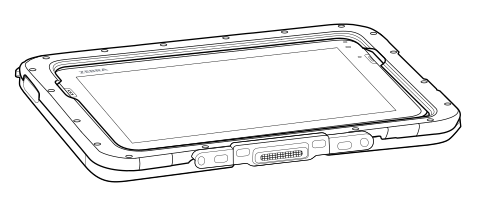
This section describes the method for installing the adapter boot onto the device.
This feature is for Standard and Premium SKUs only.
Video:
Installing the device into the ET401 Case with an IO Connector.
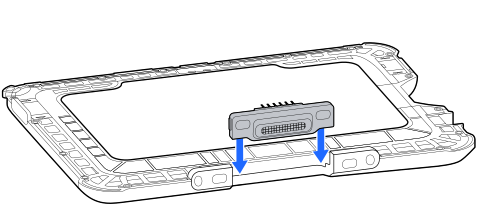
Vertically insert the pogo pin frame into the rear housing.
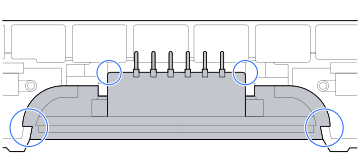
Ensure the alignment of all four positions.
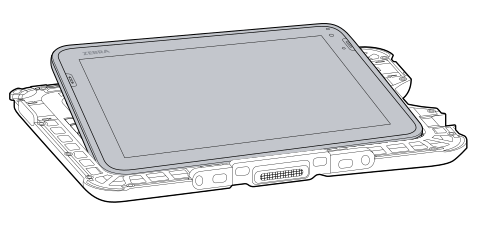
Tilt the device at an angle and place it into the rear housing.
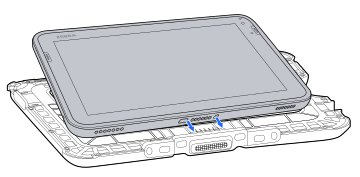
Verify the alignment of the device charge pad and pogo pin.
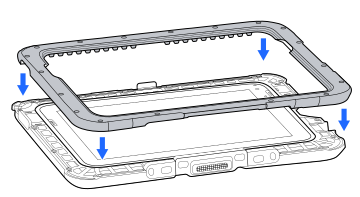
Install the front housing vertically, ensuring scanner position alignment.
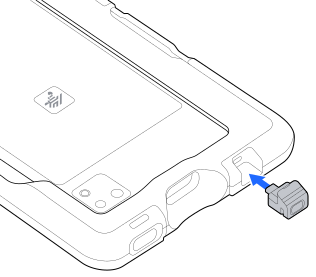
Ensure that the buttons on the left and right sides of the device are properly aligned before assembling the Top Boot cover.
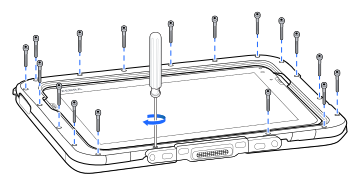
Use 18 M2 screws to lock the components together, and adjust the torque of the screwdriver to 1.22 kgf·cm (1.06 lbf·in). Start by securing one screw in each corner to prevent misalignment, and then tighten the remaining screws.