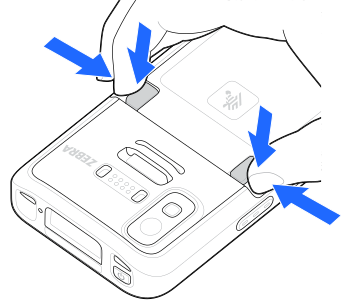
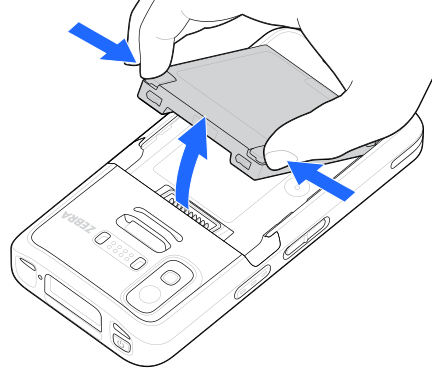
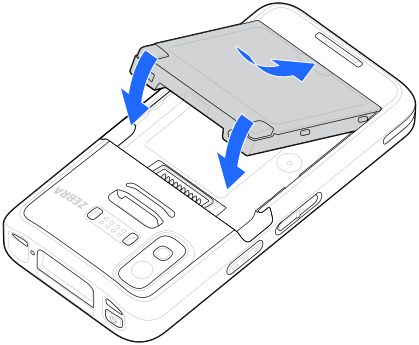
User modification of the device, particularly in the battery well, such as labels, asset tags, engravings, stickers, and so on, may compromise the intended performance of the device or accessories. Performance levels such as sealing (Ingress Protection (IP)), impact performance (drop and tumble), functionality, temperature resistance, etc. could be effected. DO NOT put any labels, asset tags, engravings, stickers, etc. in the battery well.
If you remove and reinsert a PowerPrecision battery, you might notice a change in the displayed State of Charge (SoC) percentage. This is normal behavior for the battery's internal fuel gauge. When you remove the battery, the fuel gauge must go through a standard discharge and charge cycle to fully recalibrate and display an accurate SoC reading. This temporary discrepancy is just a calibration step; it does not affect your device's actual battery runtime or overall performance.