This section describes the method for performing a battery hot swap.
Remove any accessories blocking access to the battery.
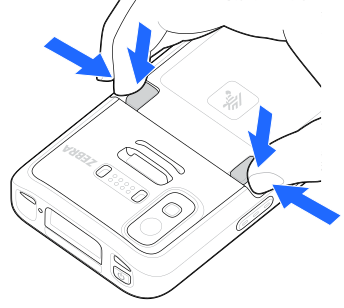
Push both battery latches inward.
Do not attempt to insert fingers under the latches when pulling on the battery. Damage to the latches may occur.
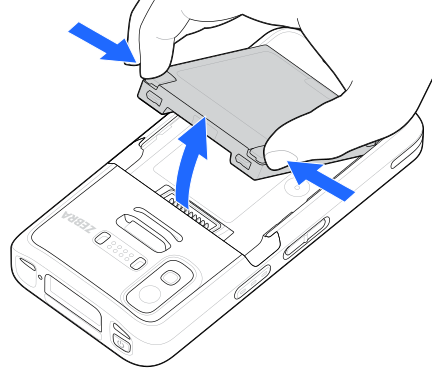
While gripping the battery latches, lift the depleted battery out of the device.
If the battery is not replaced within 30 seconds, the device display turns off and the device enters into memory persistence state for an additional 60 seconds.
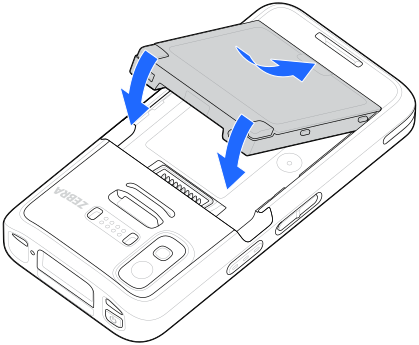
Insert the new battery, bottom first, into the battery compartment in the back of the device.
Press the new battery down into the device until the release latches click into place.
If the device does not automatically turn on, press and hold the power button for six seconds, and the device reboots.