This section describes the steps to replace a microSD card in your
TC501
device.
Follow proper electrostatic discharge (ESD) precautions to avoid damaging the microSD card. Proper ESD precautions include, but are not limited to, working on an ESD mat and ensuring the operator is properly grounded.
Power off the device.
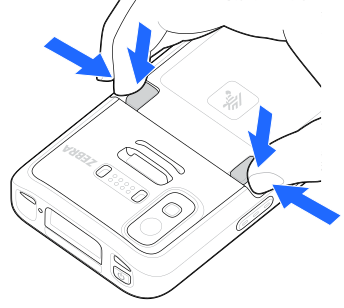
Push both battery latches inward.
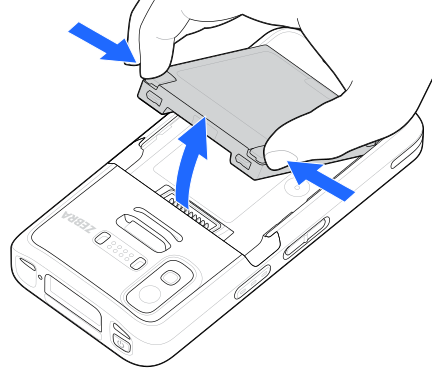
Do not attempt to insert fingers under the latches when pulling on the battery. Damage to the latches may occur.
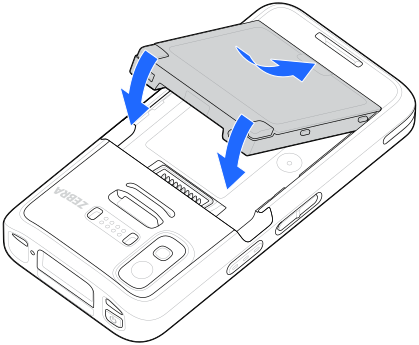
While gripping the battery latches, lift the battery out of the device.
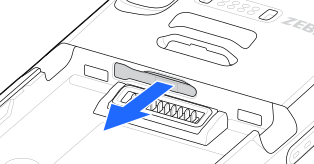
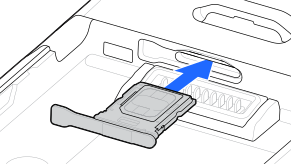
Pull the card holder out of the device.
Remove the existing microSD card.
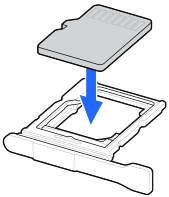
Place the replacement microSD card into the card holder with the contacts facing upwards.
Insert the card holder back into the device.
Insert the battery, bottom first, into the battery compartment in the back of the device.