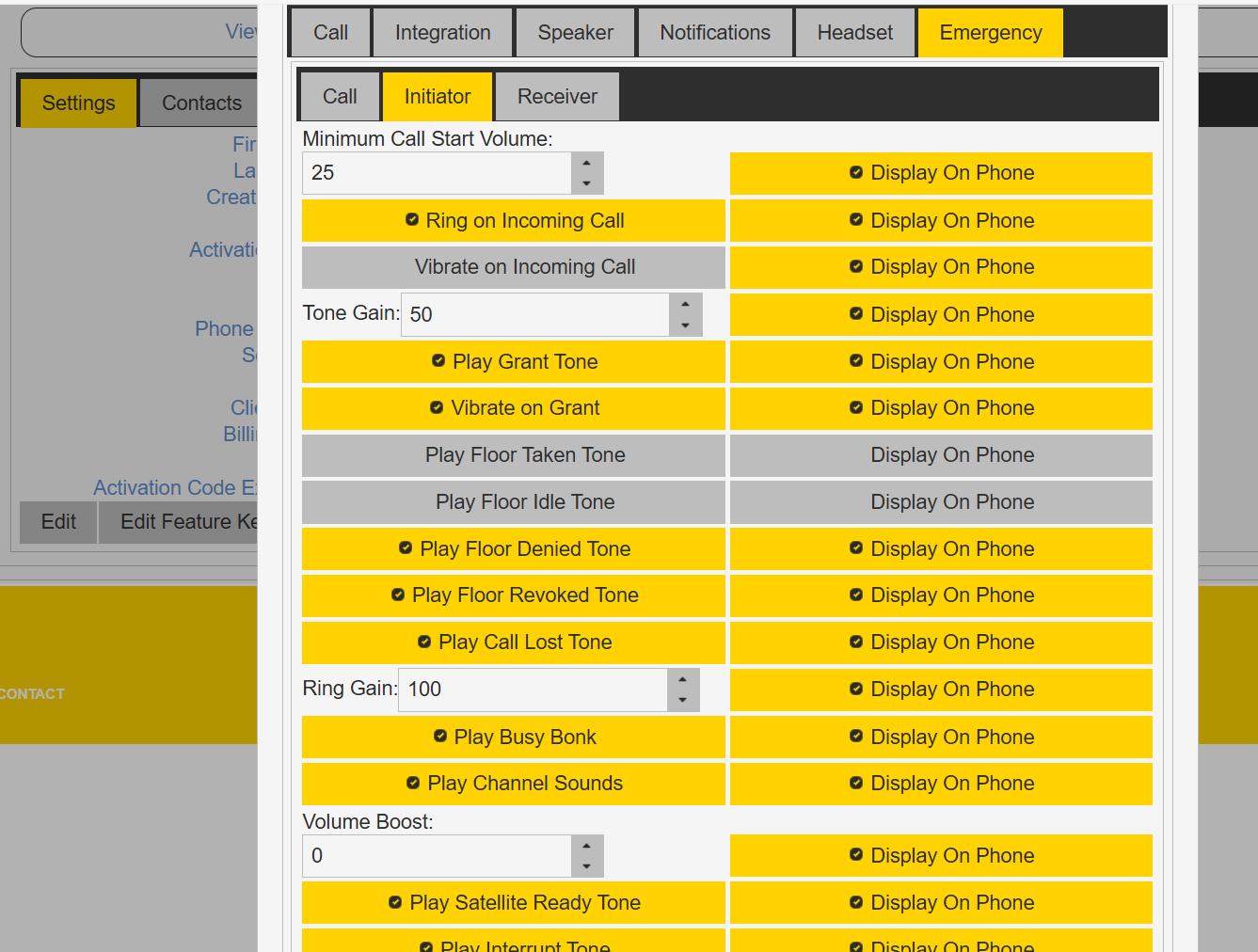
Minimum Call Start Volume
A PTT call will start with at least this minimum volume level. Adjustable from 0 percent to 100 percent.
Ring on Incoming
When enabled PTT Pro plays the ringtone on an incoming PTT call..
Vibrate on Incoming
When enabled PTT Pro vibrates on an incoming PTT call.
Tone Gain
Sets the gain level for the “tone” items listed. This is a gain reduction only. A value of 100 represents the volume of the main audio stream. A value of 0 represents silent.
Vibrate on Incoming Call
Vibrate on an incoming call instance.
Tone Volume
Gain of the tones with respect to the audio volume.
Play Grant Tone
Play a notification tone when the user is granted the floor.
Vibrate on Grant
Vibrate when the user is granted the floor. Applies to Android clients only.
Play Floor Taken Tone
Play a notification tone when the user takes the floor.
Play Floor Idle Tone
Play a notification tone when the floor goes idle.
Play Floor Denied Tone
Play a notification tone when an attempt to take the floor is denied.
Play Floor Revoked Tone
Play a notification tone when the floor is taken from the user.
Play Call Lost Tone
Play a notification tone when a call is dropped.
Ring Gain
The volume of the ringtone with respect to the audio volume.
Play Busy Bonk
Play a tone when a call fails to connect.
Play Channel Sounds
Not supported.
Play Satellite Ready Tone
Not supported.
Play Interrupt Tone
Not supported.